v1.0 · Live on Google Play
Data usage and battery monitor.
No ads. No account.
Track mobile data, Wi-Fi, battery and network on one calm app. Free, no account, and your readings stay on your phone.
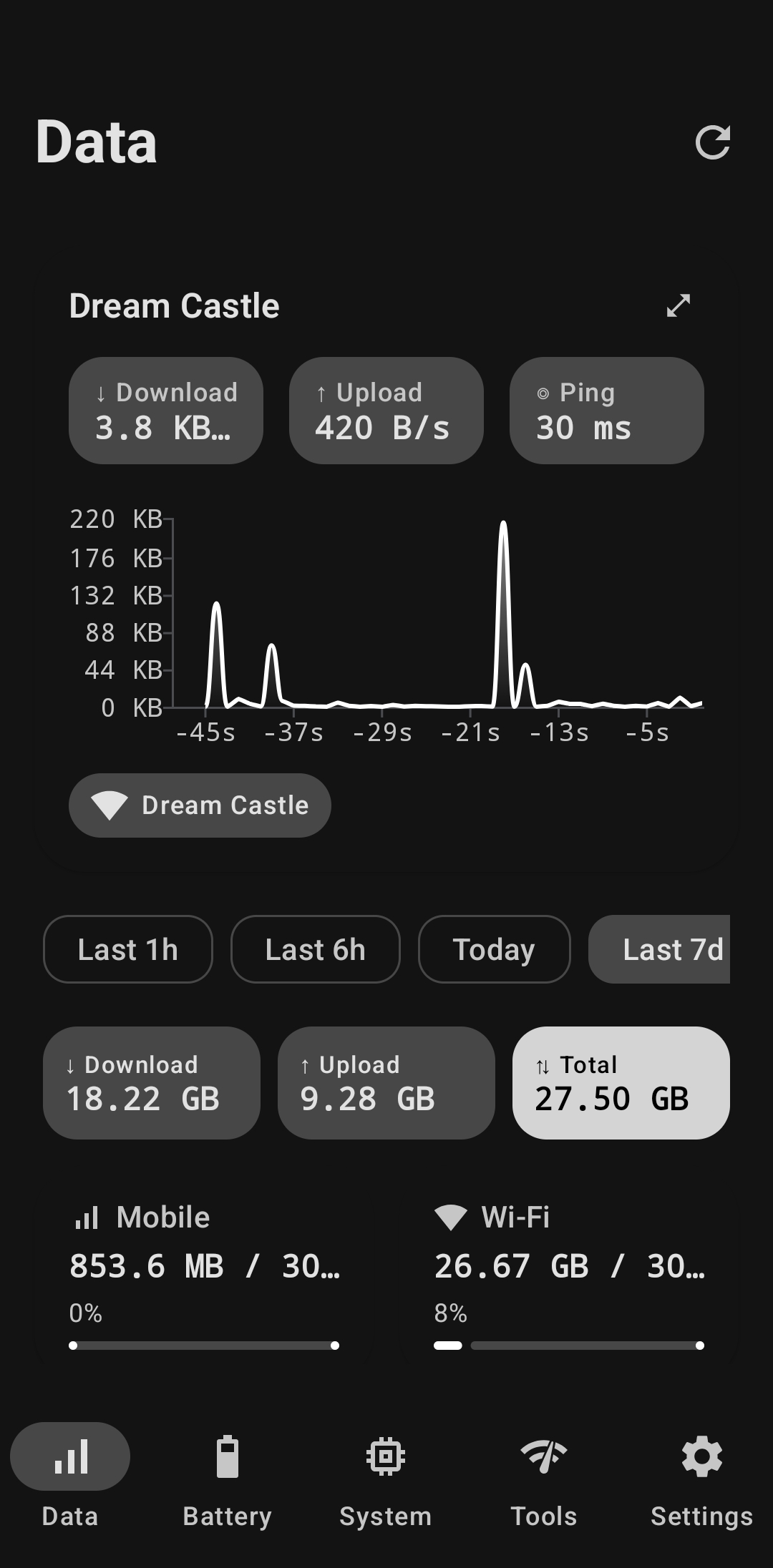
Track mobile data, Wi-Fi, battery and network on one calm app. Free, no account, and your readings stay on your phone.
Actual readings from the screens below — every value in Andromeda is set in Geist Mono with tabular figures, so digits never shift as they update.
Real screens · real device
Captured on a Galaxy S24 running Android 16 — real screens, real readings, no mockup fakery and no filler numbers.
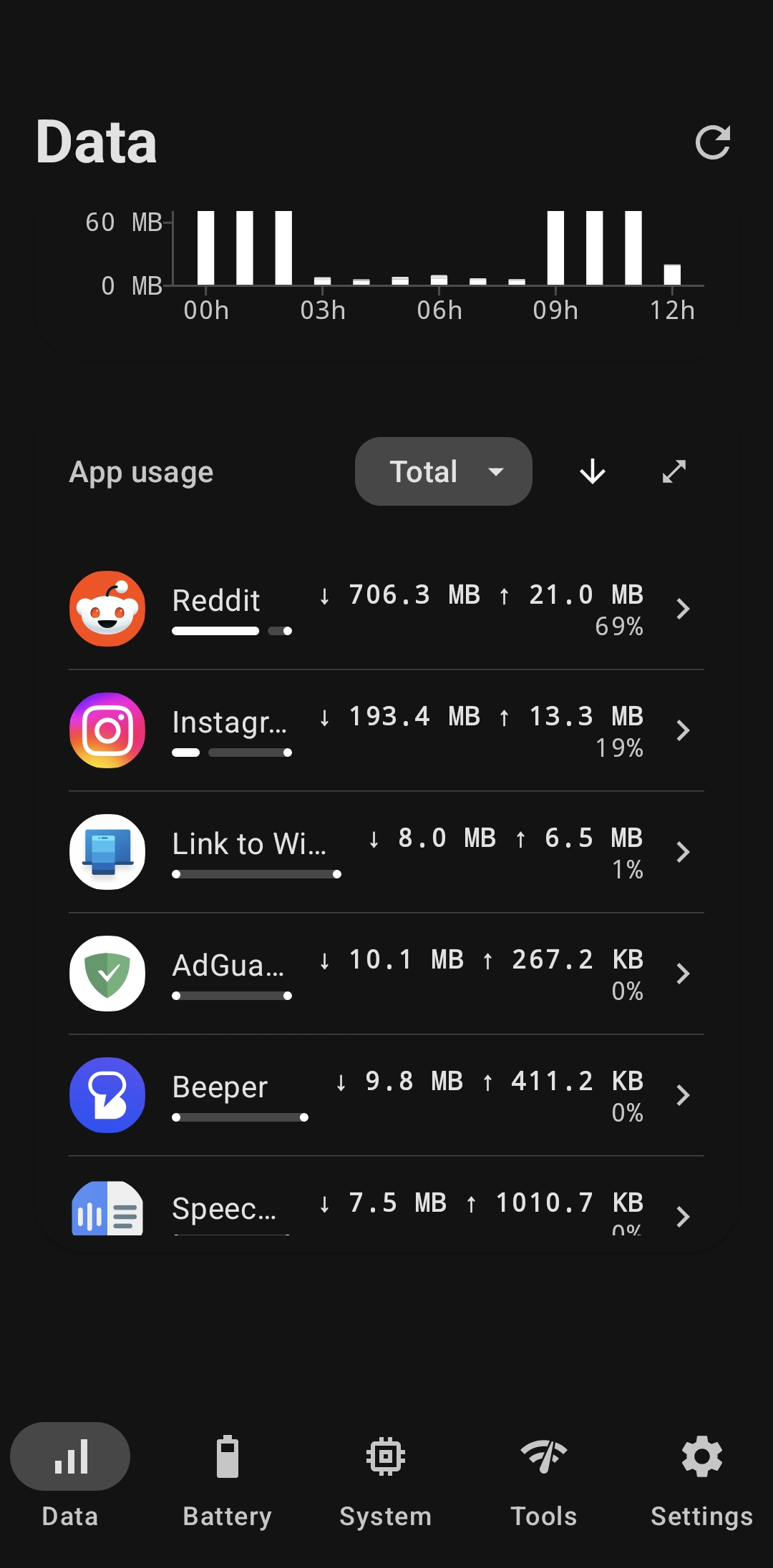
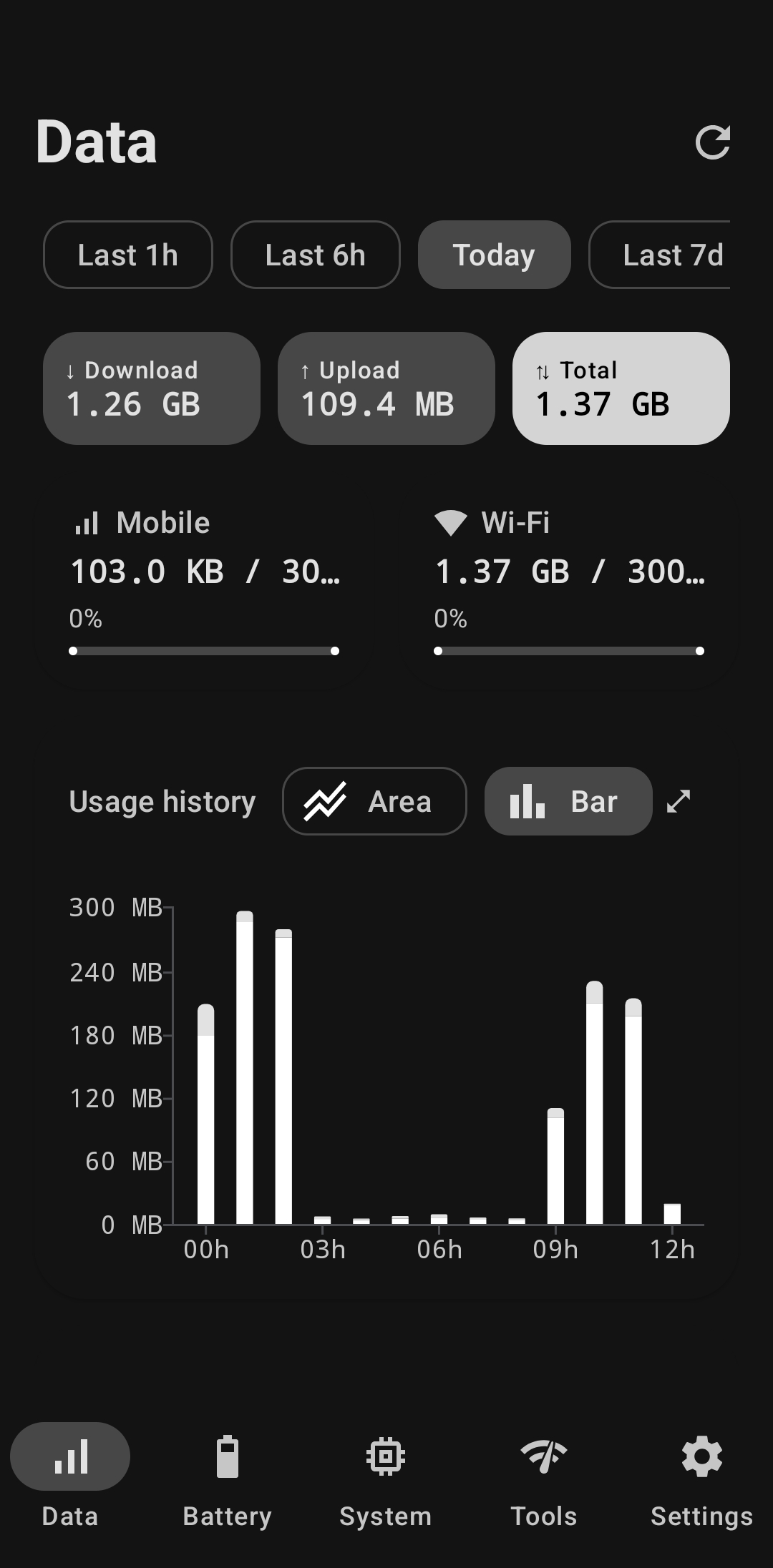
Live download, upload and ping on the connection you're actually on. Mobile and Wi-Fi always kept separate, never bundled into one misleading total.
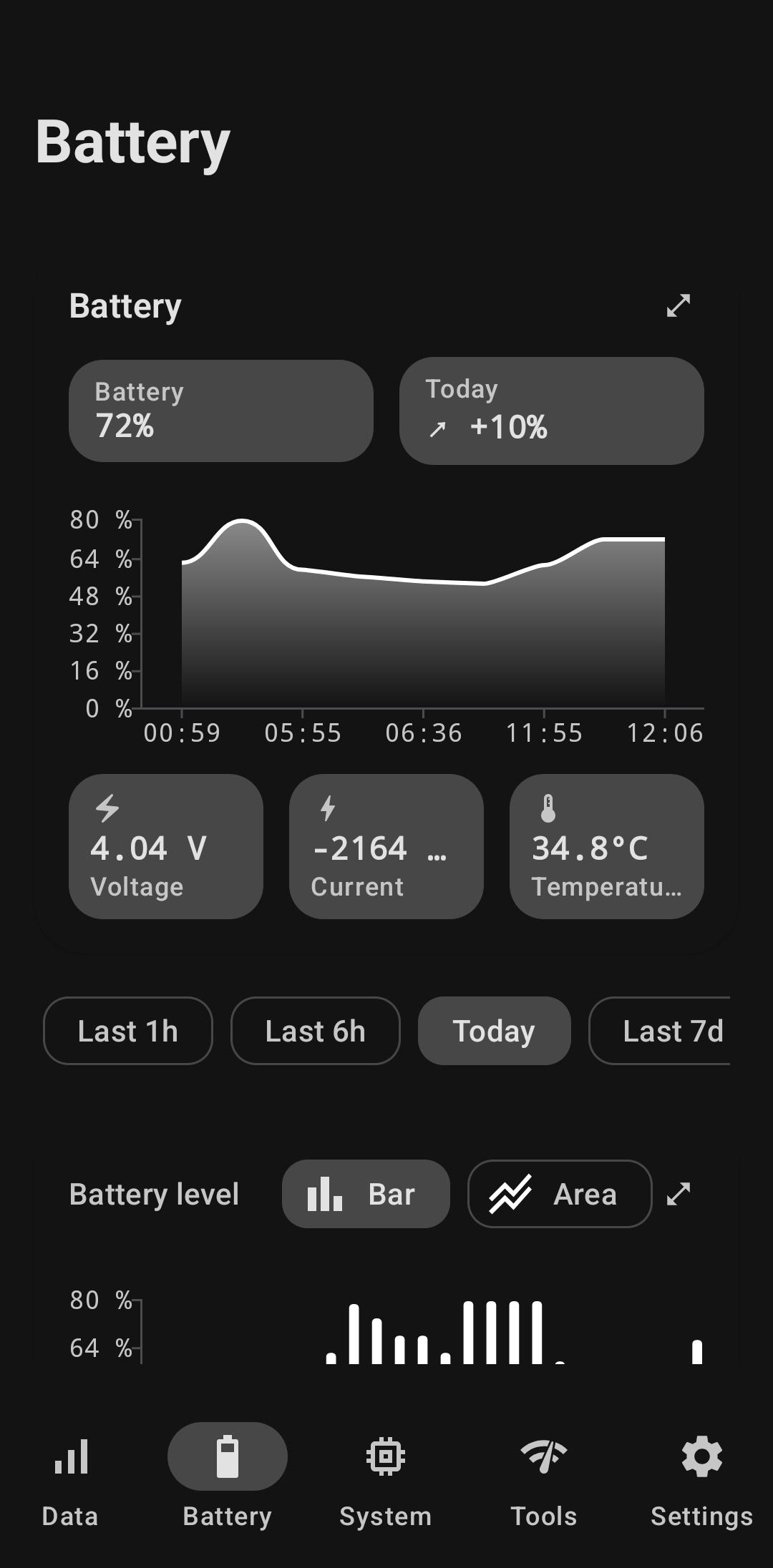
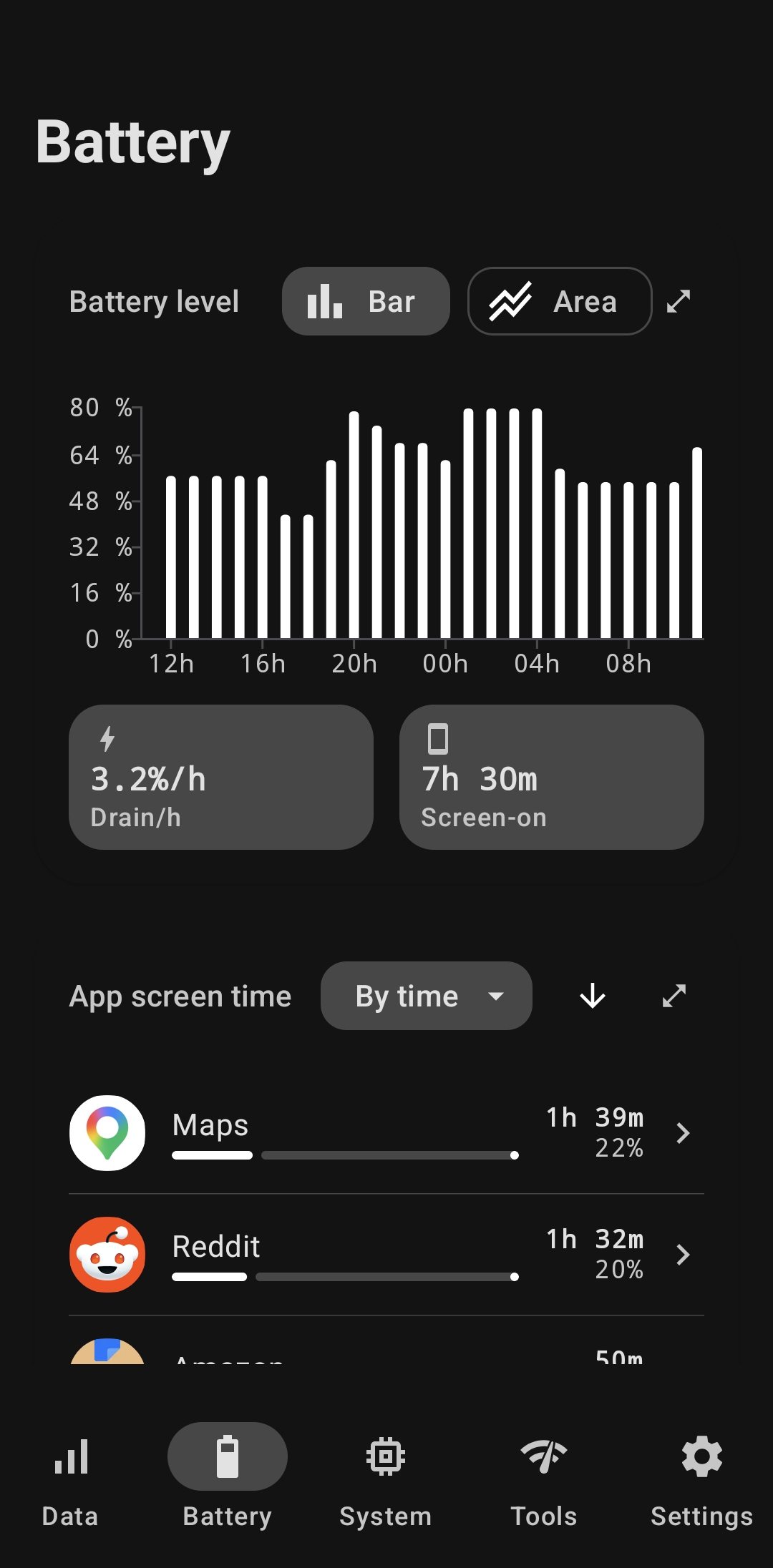
Level, voltage, current and temperature, sampled continuously and plotted over time. Per-app screen time is labelled as screen time — never dressed up as a fabricated drain percentage.
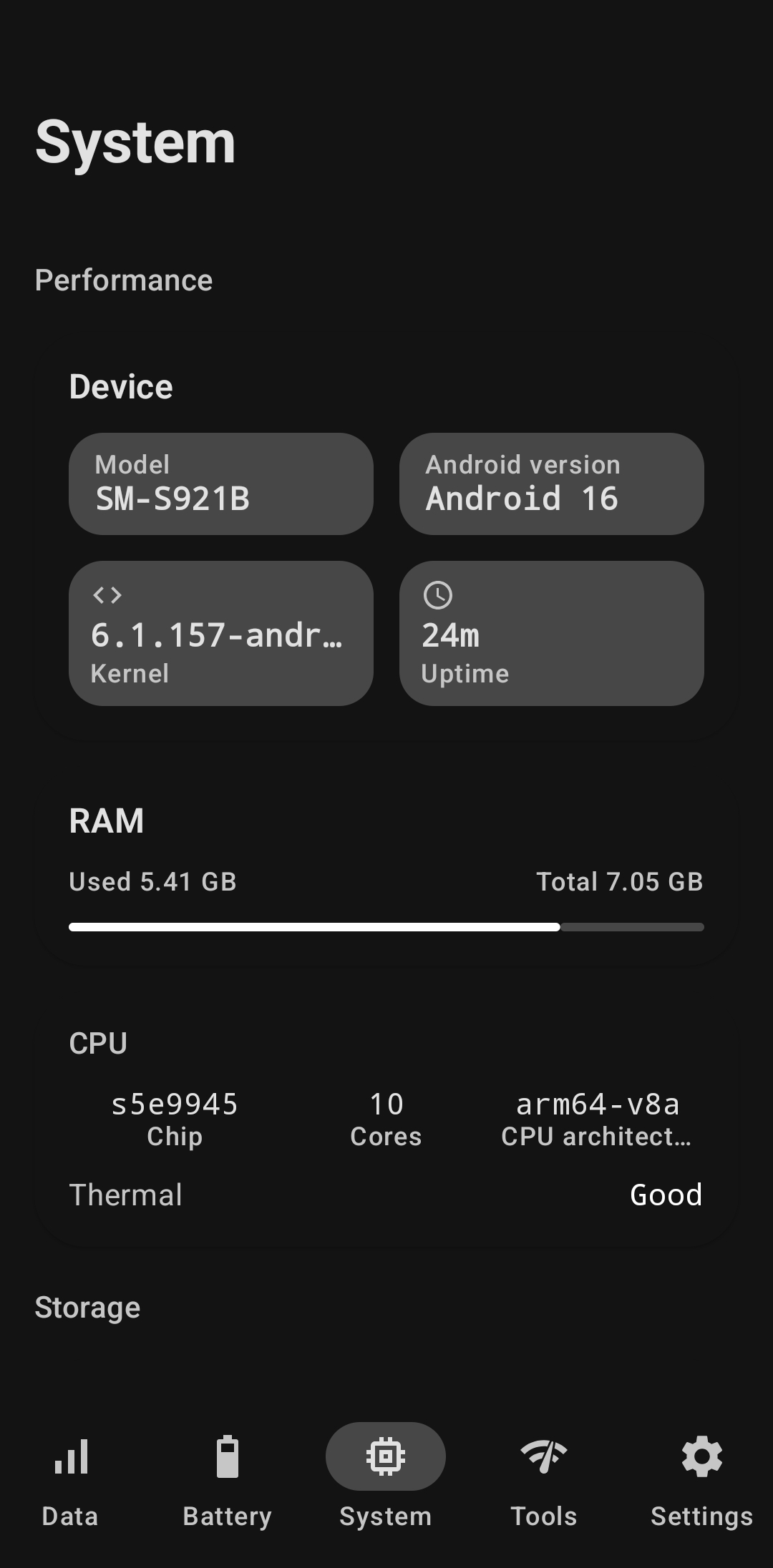
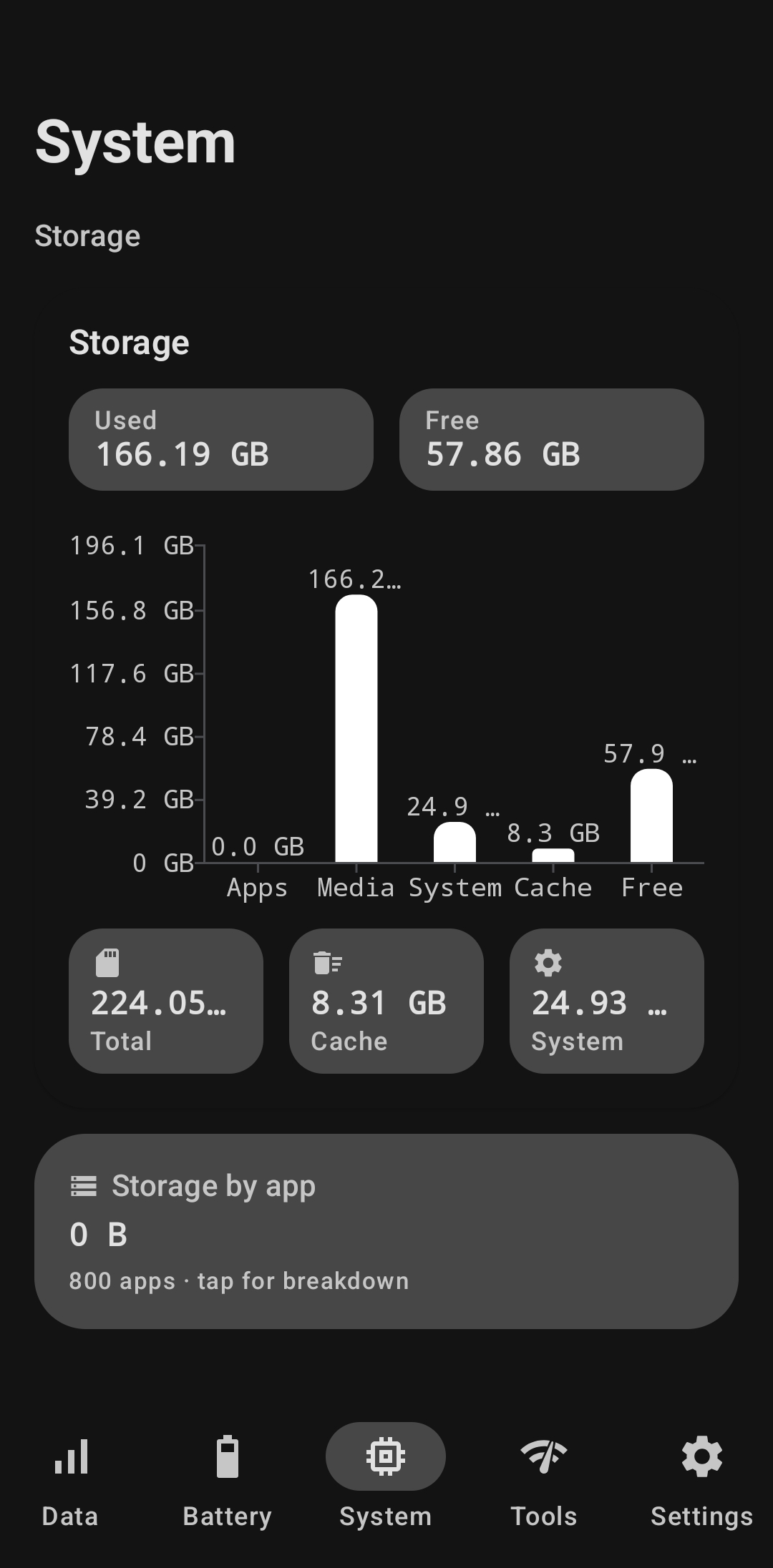
Model, Android version, kernel, uptime, chip, core count and architecture — read straight from the system. If a value isn't exposed on your device, Andromeda says so instead of inventing one.
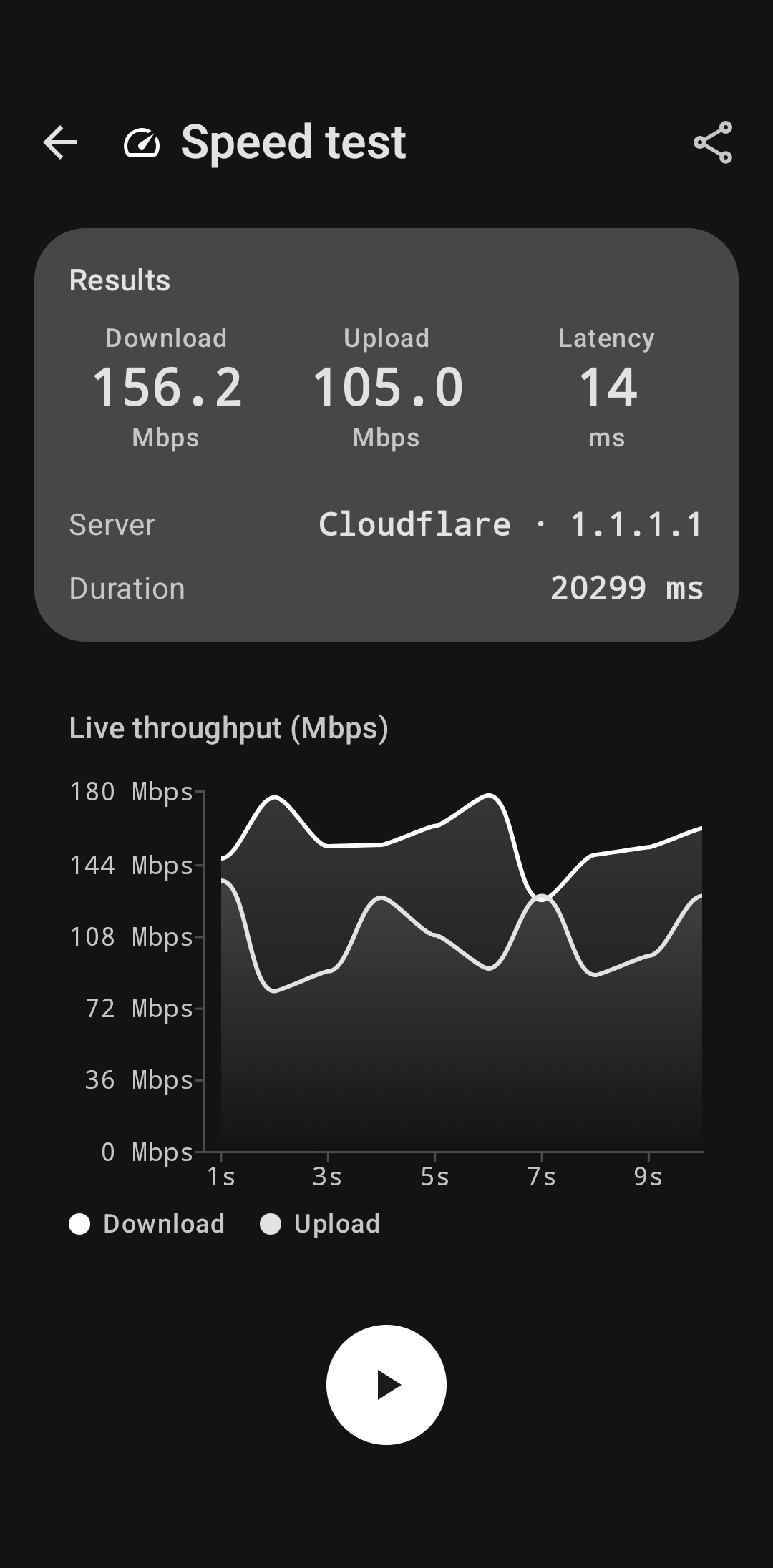
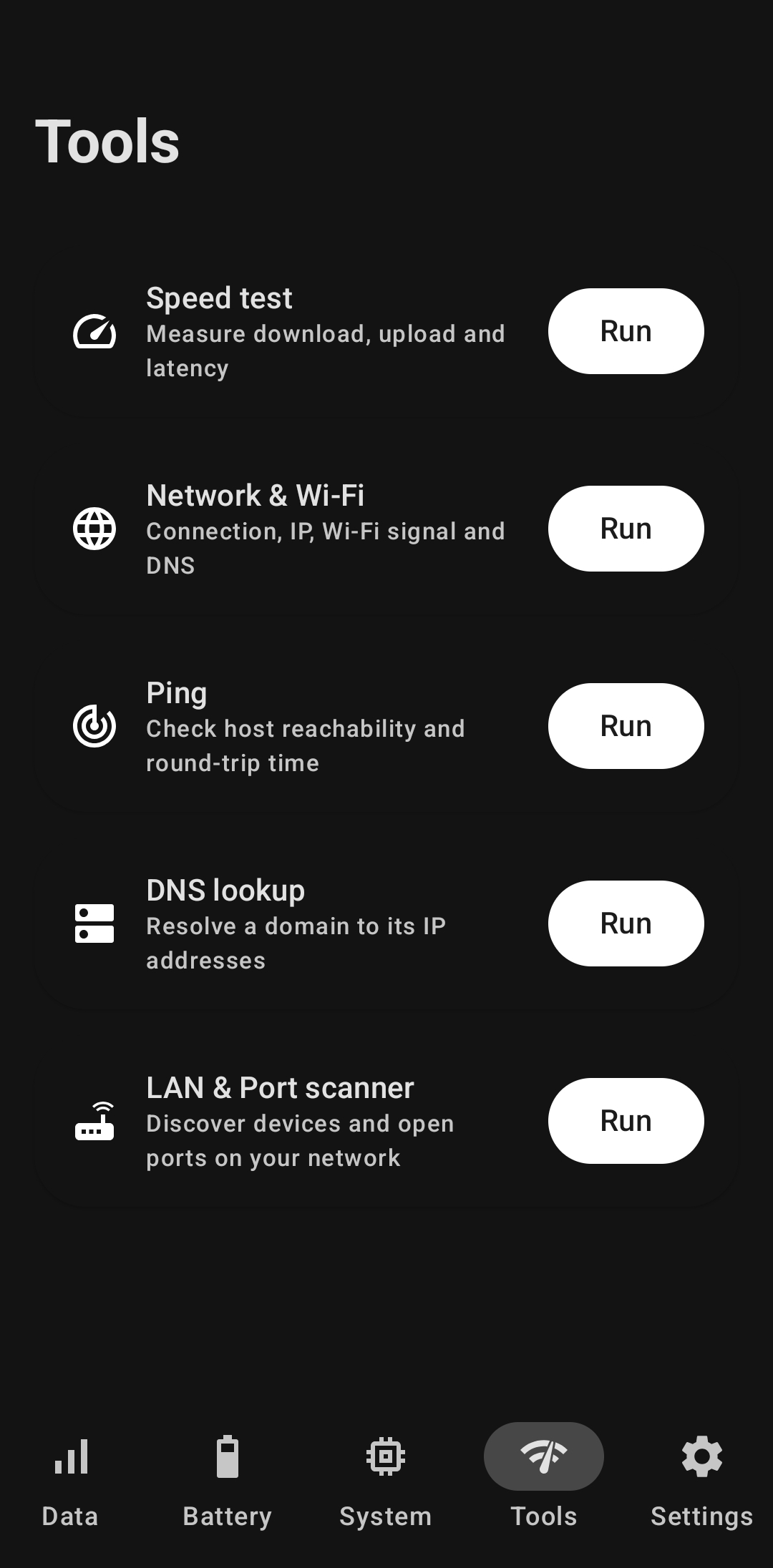
Speed test, ping, DNS lookup, network inspector and LAN scanner — no second app, no ad-funded SDK reading your traffic. Every run is saved so you can compare it against the last one.
Beyond the four tabs
The details that make a monitor worth keeping installed past week one.
Any tool result exports as a branded summary card — preview it first, then send it to whoever asked. Numbers travel without a screenshot of your whole screen.
An ongoing notification with your current numbers. Survives a swipe-away and comes back after reboot — no silent disappearing act.
Nebula, Aurora, Ember or Dynamic — wallpaper-based Material You on Android 12+. Accents cascade across every screen instantly, light or dark.
Tap a chart column to select it, tap again to open that exact window. Two-step by design, so a scroll never fires a navigation you didn't want.
Long-press the launcher icon to jump straight to Data, Battery, System or Tools — icons matched to the bottom navigation.
Anonymous crash and usage reporting helps fix bugs — and one toggle in Settings → Privacy stops all of it, immediately. Your monitored metrics are never sent anywhere.
Tools tab
Every tool keeps its last 25 runs, so "is it slower than yesterday?" is a question you can actually answer.
Download, upload and latency with a live throughput chart and a named server.
Connection type, IP addresses, Wi-Fi signal strength and DNS servers in one view.
Host reachability and round-trip time — for diagnosing lag, DNS trouble and VPN overhead.
Resolve any domain to its IP addresses and see exactly what your resolver returns.
Discover devices on your local network, with per-host port scanning in Pro.
Pricing
No subscription. No account. No server holding your history hostage. Buy Pro once through Google Play and it's yours on every device signed into that account.
The whole monitor, no strings and no sign-in. Most people never need more.
Current price is shown in the app and on Google Play in your local currency. Buy it once — there is nothing to renew and nothing to cancel.
The rules
These aren't marketing promises — they're constraints the app was built under, and the reason some screens say "not available on this device".
Every value traces to a documented Android API. If a metric isn't readable on your device, the UI says so plainly. No estimates, no hardcoded defaults, no invented drain percentages.
There is no backend and no account. The data, battery and system values you monitor live in a local database on your phone, and they go away when you clear the app's data or uninstall it. The one thing that does leave the phone is next.
Your data, battery and system readings are stored on the phone and never uploaded, because there is no backend to upload them to. Release builds do send anonymous crash reports and screen-view events to Firebase so I can fix bugs. That's on by default, and one toggle in Settings > Privacy switches it off. Read the policy.
Works on any non-rooted Android 8.0+ device. No root, no ADB setup, no shell-outs, no OEM-specific reverse engineering. Kotlin, Jetpack Compose, Room and Material You throughout.
Transparency
Andromeda asks only for what it reads. The sensitive QUERY_ALL_PACKAGES permission was removed in favour of Android's scoped package-visibility queries.
PACKAGE_USAGE_STATS
Reads per-app data usage and screen time via UsageStatsManager. You grant it yourself in Android Settings — the app walks you there.
Manual grant
READ_NETWORK_USAGE_HISTORY
Declared so NetworkStatsManager can return historical per-app totals. Android reserves this one for system apps and will not grant it to Andromeda — your history works through the usage-access grant above.
System only
ACCESS_FINE_LOCATION
ACCESS_COARSE_LOCATION
Android requires location permission to read the Wi-Fi network name (SSID) and scan results. That is the only thing Andromeda uses it for. No GPS is read, no coordinate is stored, and there is no backend to send one to. Decline it and everything works except Wi-Fi identity and signal detail.
Optional
READ_PHONE_STATE
Reads the mobile operator name and the current network generation — 2G, 3G, LTE or 5G — for the Data and System screens. No number, IMEI or SIM identifier is read. Decline it and those two fields read Not available on this device.
Optional
POST_NOTIFICATIONS
Shows the live stats notification and quota alerts at 80% and 100% of your set limit. Decline it and the app is silent.
Optional
ACCESS_WIFI_STATE
Reads the Wi-Fi signal strength in dBm from WifiManager for the Data screen's connection card. Nothing is changed and no network is joined.
Auto-granted
ACCESS_NETWORK_STATE
Reads what you are connected to — Wi-Fi or mobile, metered, roaming, VPN active, Data Saver on — from ConnectivityManager. This is the connection card on the Data screen.
Auto-granted
INTERNET
The Tools tab (speed test, ping, DNS lookup and the LAN and port scanner) reaches the network you point it at. It also carries the anonymous crash and usage reports described in the privacy policy. Monitoring itself makes no network calls.
Auto-granted
FOREGROUND_SERVICE
Required by Android for any persistent foreground service — used only to keep the live stats notification running.
Auto-granted
FOREGROUND_SERVICE_SPECIAL_USE
The service type Android requires us to declare for that notification. It polls local counters only — nothing syncs, so specialUse is the honest classification rather than dataSync.
Auto-granted
RECEIVE_BOOT_COMPLETED
Restarts the live stats notification after a reboot, and only when you have it switched on. Nothing else runs at boot.
Auto-granted
Questions
Short answers, and none of them change once you install.
No, at any tier. There are no ads in the free app and none in Pro.
No. There is no sign-up, no sign-in and no profile.
No. Andromeda runs on any non-rooted Android 8.0 or newer device, with no ADB setup and no shell tricks.
All four screens and all five tools, with 30 days of history.
Unlimited history, every app in lists, custom date ranges, CSV and JSON export, and per-host port scanning. It is a one-time purchase, priced in your local currency on Google Play.
Your data, battery and system readings are stored on the phone and never uploaded, because there is no backend to upload them to. Release builds do send anonymous crash reports and screen-view events to Firebase so I can fix bugs. That's on by default, and one toggle in Settings > Privacy switches it off. Read the policy.
Andromeda is on Google Play now — free, no account, and everything above works from first launch.